
Choose which lists widgets can see#
- Open KanbanDo Settings → Task widgets.
- Enable Inbox and/or the projects you want available. Lists start disabled.
- Add a KanbanDo widget from the system widget gallery.
- Edit the widget and choose one of the enabled lists. Each widget can use a different list.
Choose a widget#
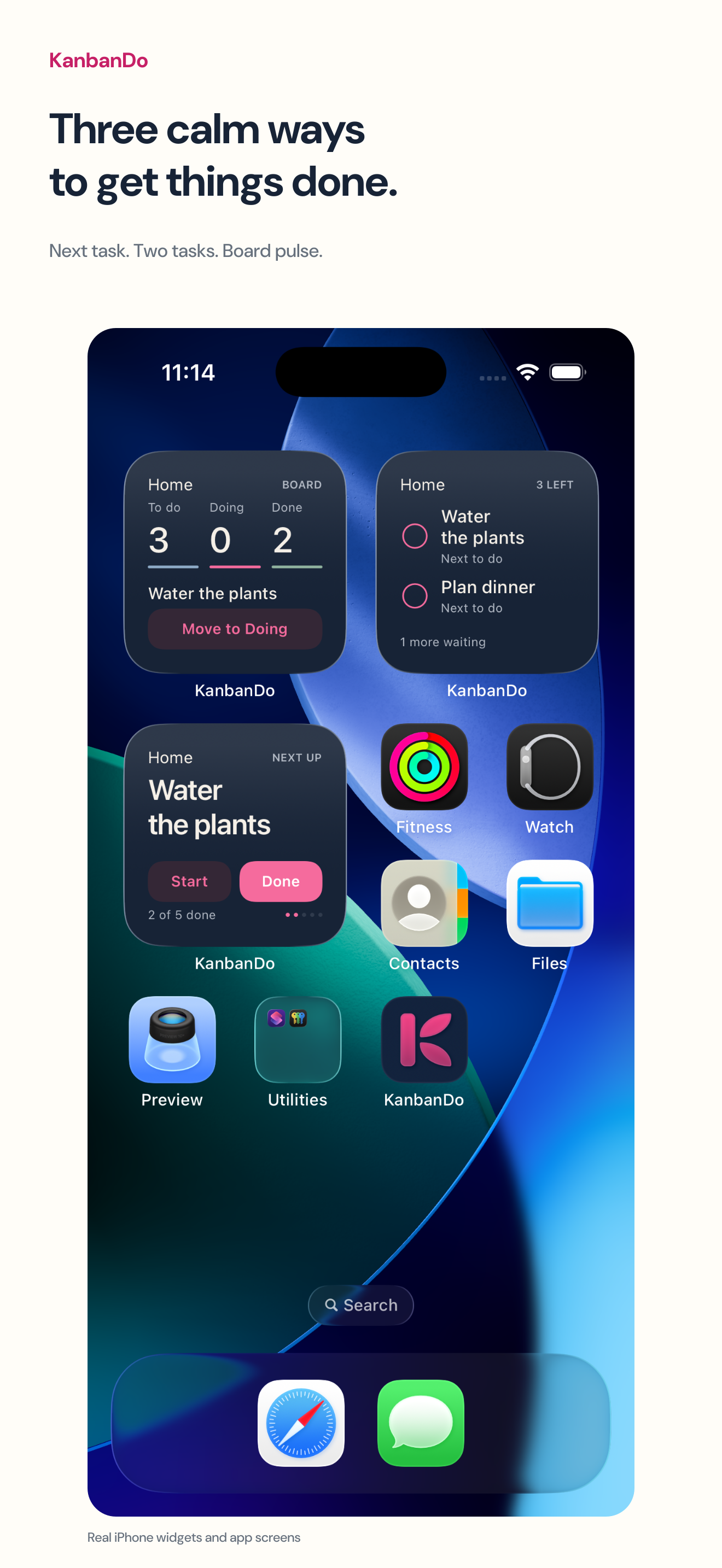
- Next task
- Shows the next task, a due date when present, progress, and available Start/Done actions.
- Two tasks
- Shows two tasks with completion controls. Recent completions can remain visible with Undo while eligible.
- Board pulse
- Shows the first three real columns and their counts, plus the next task to start. Additional columns are indicated.
Flagged tasks come first, followed by due dates and board order. Archived tasks and the canonical Done column are excluded from unfinished work. Start and Done depend on the destination columns existing and your permission to edit.
Actions and Undo#
Tap Start or Done where available. The app checks current permissions and task state before saving. Undo is temporary and works only while the task still matches the action you are undoing; it cannot overwrite a later edit. Relaunching clears those receipts. Cloud changes still travel through normal iCloud synchronization.
Privacy and refresh#
Only enabled lists are exported for widgets. The projection includes the task information needed for display, not the full notes, attachments, links, participant details, or cloud credentials. Removing an enabled list removes its projection.
Widget refresh timing is controlled by the system. Open the app to confirm the latest state. If a selected list is no longer available, re-enable it in Settings or edit the widget to select another list.
For the separate household display concept and current availability notes, see the HomeView page. Physical HomeView hardware behavior remains unverified; these instructions describe the iPhone/iPad widget implementation.