Next task
One thing to focus on. Start it, finish it, and make a little room for whatever comes next.

A LITTLE MORE CALM AT HOME
Dinner to plan. Plants to water. A day to share. Give the little things a beautiful place to land.
Three task widgets, designed with Apple HomeView in mind.
Get KanbanDo for iPhone & iPadOne project free. No subscription.
Available now on supported iPhone and iPad Home Screens.
HomeView hardware testing is pending.
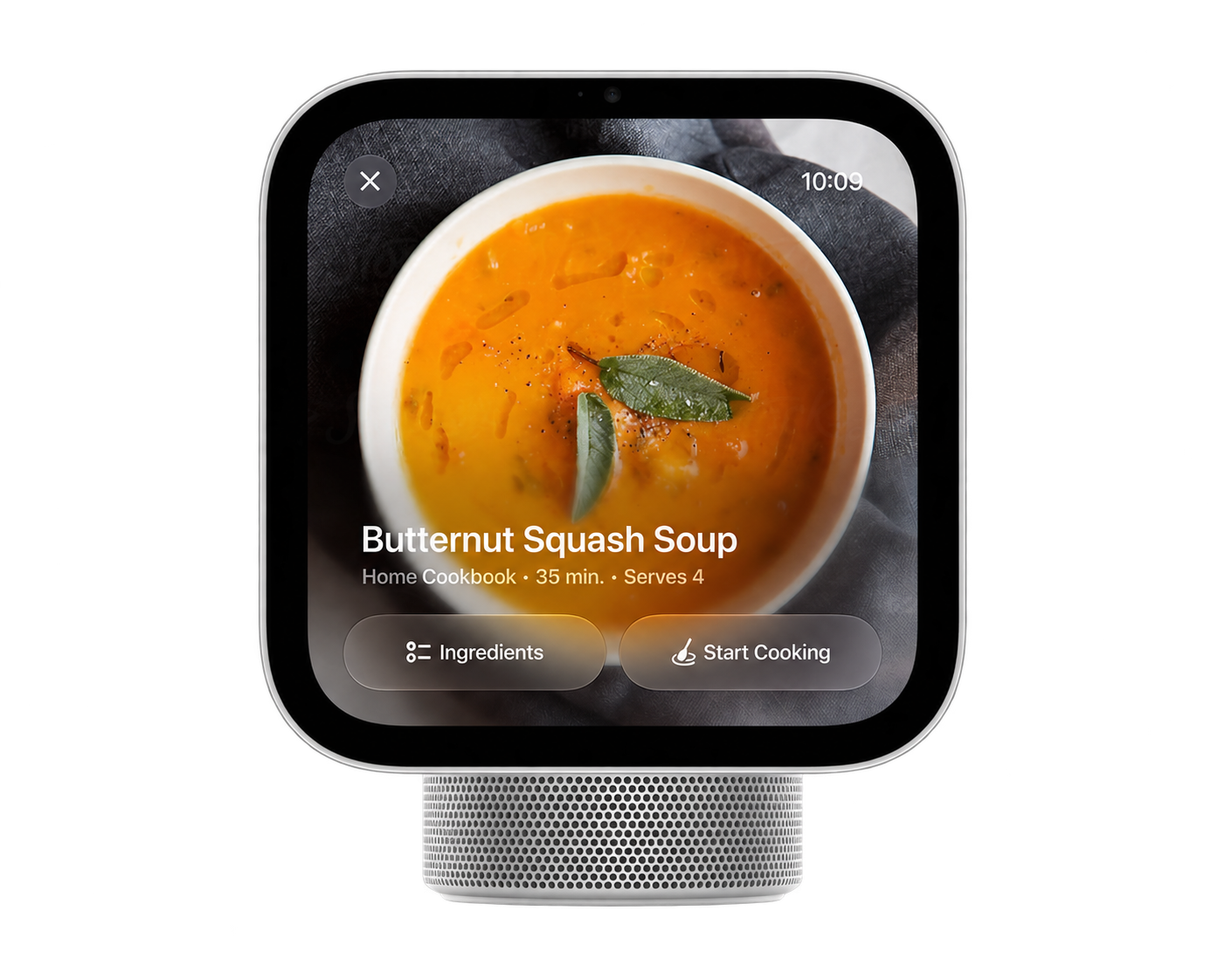
Tap the screen. Try all three widgets.
Interactive sample interface on HomeView artwork.
Hardware behaviour has not been verified.
THREE WAYS TO KEEP MOVING
One thing to focus on. Start it, finish it, and make a little room for whatever comes next.
A small, satisfying checklist. Tap a task complete, with Undo there when you need it.
The shape of your day at a glance. See To do, Doing and Done, then get the next task moving.
THE LITTLE VIEW. THE WHOLE PICTURE.
Keep the board, notes, due dates and checklists in KanbanDo. Let the widget bring the next step closer.
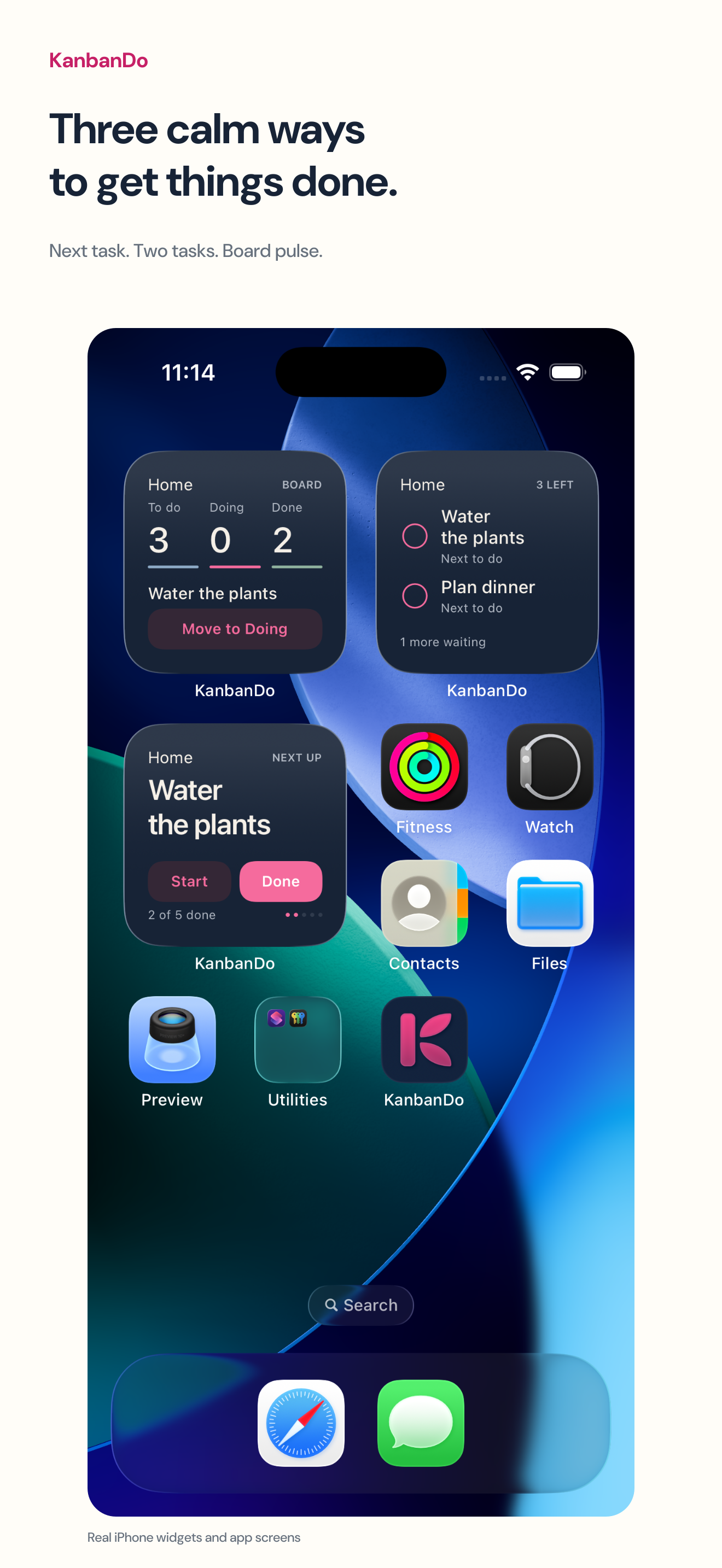
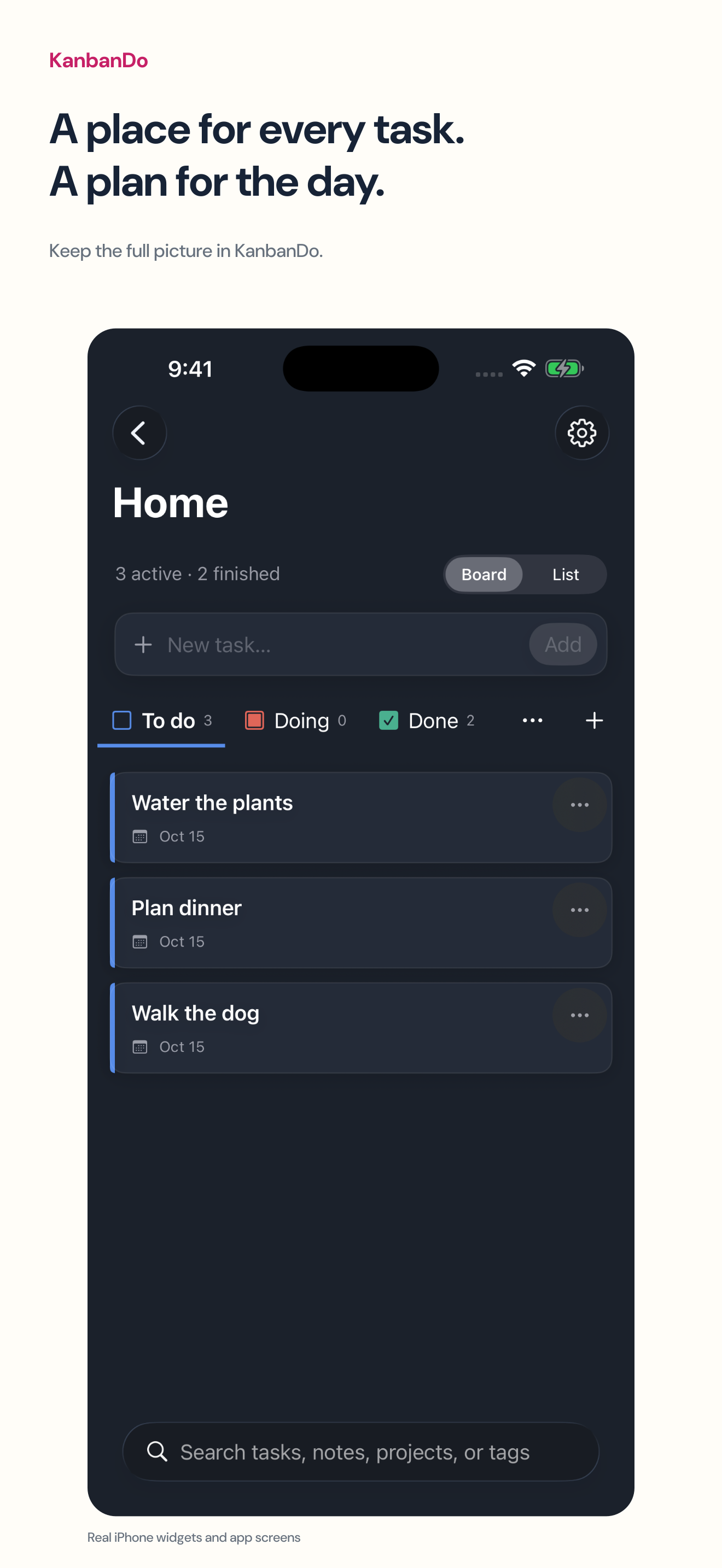
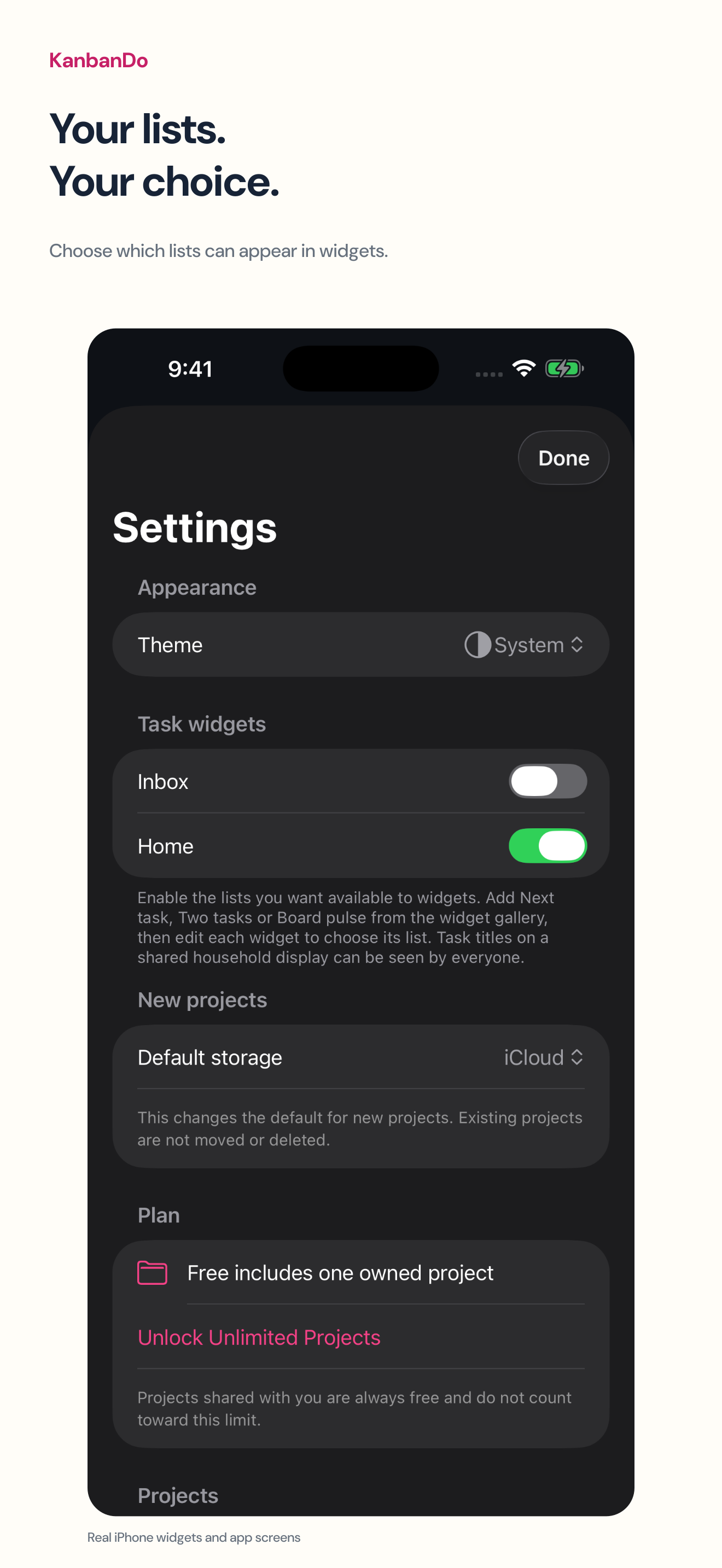
Actual app captures from iPhone Simulator. HomeView hardware is not pictured.
A PHONE APP. A LITTLE MORE WITHIN REACH.
Apple’s published design guidance lets people choose small widgets from their connected iPhone or iPad for HomeView.
HomeView setup guide in preparation. We’ll verify the exact menus, configuration and task actions on hardware before publishing step-by-step HomeView instructions.
Read Apple’s HomeView widget guidance ↗Start your first project free. Add the everyday tasks you want to keep moving.
Open KanbanDo Settings → Task widgets. Enable the lists you want, then choose a list for each widget.
Apple describes widgets from connected devices on a personal Home Screen or the shared Modular face. KanbanDo’s HomeView behaviour is awaiting hardware verification.
YOUR LISTS. YOUR CHOICE.
Choose a household list for a shared display. Keep personal lists out of widgets.
You explicitly enable the lists available to widgets. Task notes, attachments and account information aren’t included in the widget snapshot. Shared displays can be seen by other people, so choose content with that in mind.
GOOD TO KNOW
Our route is the iPhone and iPad app with small widgets. Apple’s guidance describes selecting these widgets from a connected device. We aren’t offering a separate executable HomeView app.
Yes, on supported iPhone and iPad Home Screens with KanbanDo 1.1 or later. HomeView hardware compatibility and interaction testing are pending. Apple sets HomeView availability and connected-device software requirements.
Apple describes one shared Modular face per household and a personal Home Screen for each enrolled member. Content placed on the shared face can be seen by everyone. Use a household list there, rather than a private one.
No. Your first owned project is free. Unlimited Projects is an optional one-time in-app purchase. Projects shared with you don’t count toward your allowance. Apple displays local pricing and availability.
Yes. Choose iCloud storage and invite people with editing or view-only access. Everyone needs KanbanDo and an Apple Account with iCloud enabled. View-only widgets don’t offer editing controls.

A PLACE FOR THE EVERYDAY
One project free. No subscription.