
Open KanbanDo#
Install KanbanDo from the App Store and open it on your iPhone, iPad, or Mac. One owned project is free. Unlimited Projects is a one-time in-app purchase; collaborators can join shared projects for free.
A fresh Mac starts with an empty Personal project. A fresh iPhone or iPad starts with Learn KanbanDo, an editable tutorial inside your first project. Follow its cards, then use the final clear-and-rename exercise to turn that same project into your own.
Five minutes to a useful board#
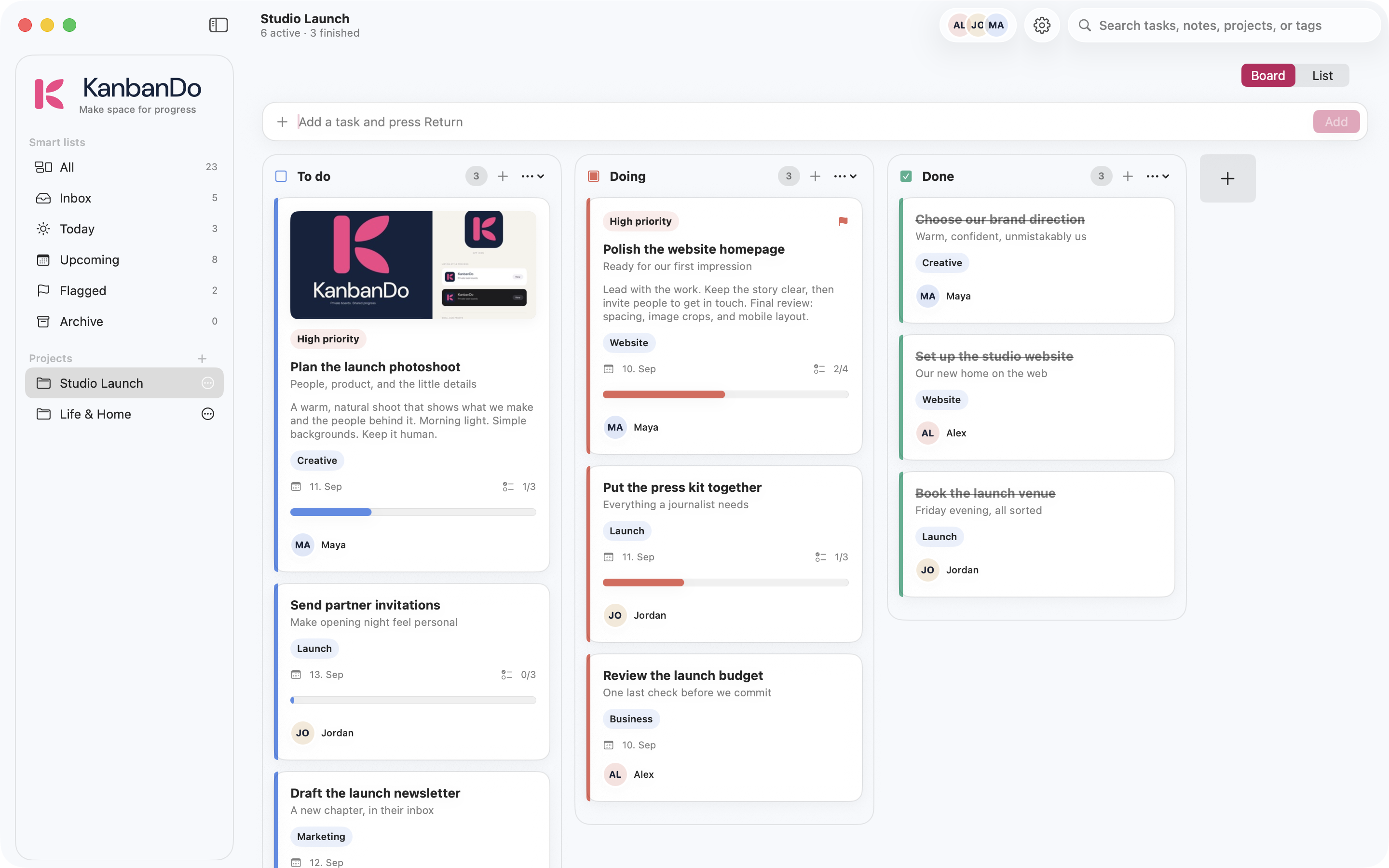
- Select your starter project in the sidebar. On a narrow screen, open the sidebar to find Projects.
- Rename it from the project’s actions menu. Try Weekend plan.
- Add Book a table, Buy ingredients, and Plan Sunday walk using the task field. Press Return on Mac or use Add.
- Open Buy ingredients. Add a short note and checklist steps, then Save.
- Move Book a table from To do to Doing when you start. Move it to Done when it is finished. Use drag and drop or the task’s move controls.
- Open Inbox to capture something you have not filed yet. Come back later to move it into your project.
Choose where the project lives#
Device-only keeps a project on this device. iCloud enables synchronization and collaboration through your Apple Account. Inbox is local to each device. Choose an iCloud project for work you want on your other devices.
Read about storage and sharing before moving important work between storage types.
Set your preferences#
Open Settings → Appearance to choose the theme. Under New projects, set Default storage for future projects. Changing that default does not move or delete existing projects. See the Projects section in Settings to inspect each project’s storage and sync status.
A simple daily routine#
Capture ideas in Inbox. Pick a few things to work on, give genuine deadlines a due date, and move tasks as you make progress. Check Today and Flagged when you need a shorter list. At the end of the day, leave a note on anything unfinished so it is easy to resume.